Invoice Finder by BillBjorn · Coming soon
Stop chasing clients for receipts.
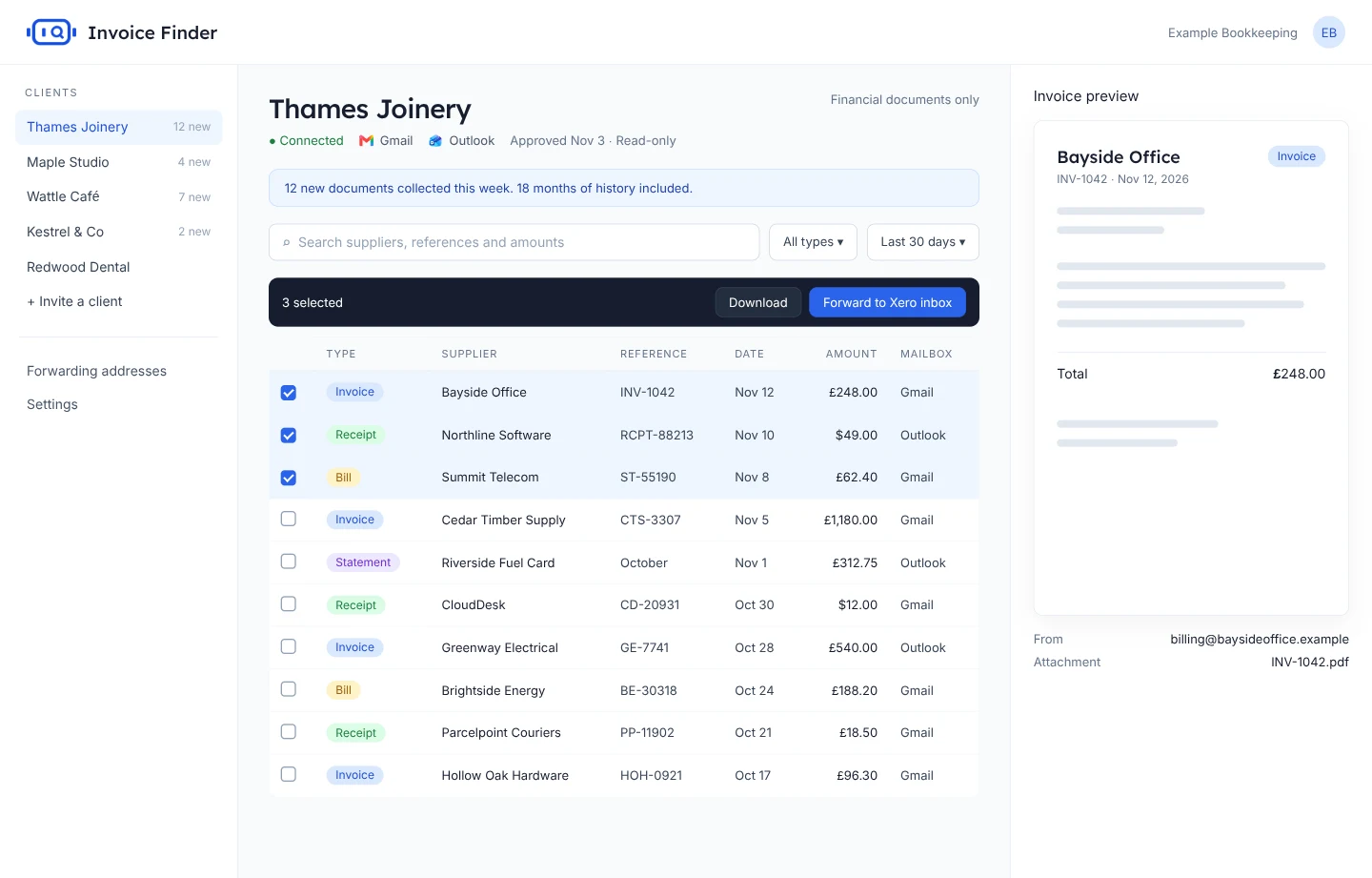
Your clients connect Gmail or Outlook once. AI picks out every invoice, receipt and statement as it arrives, and only those reach you. Everything else in their inbox stays private.
The month-end chase
You know the transaction.
You're still waiting for the receipt.
The bank feed shows the payment. The supplier is obvious. But the invoice is sitting in your client's inbox, and getting it to you means another reminder from you and another inbox search for them.
Multiply that by every client, every month, and chasing paperwork becomes a job of its own. Invoice Finder takes it off your list.
How it works
Connect once.
Collect every month.
Your client sets it up in about a minute. After that, invoices and receipts arrive without anyone having to ask.
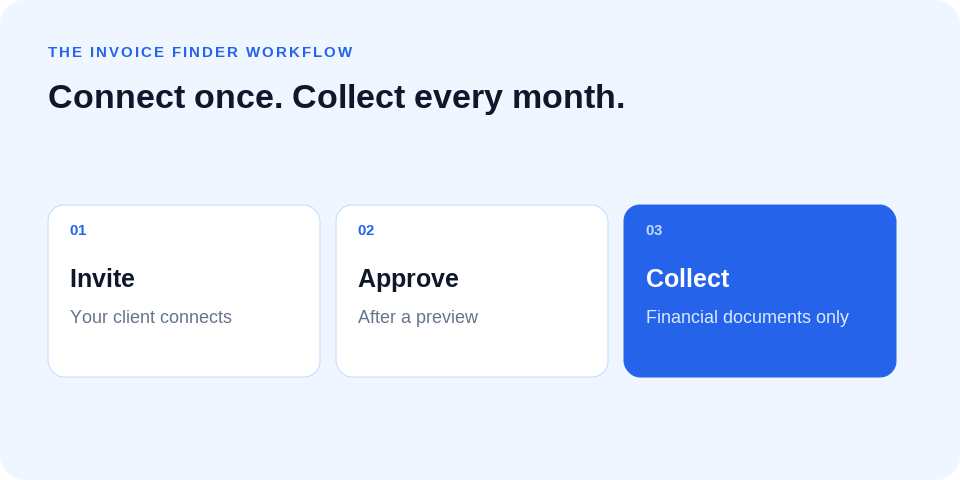
- 01 / Invite
Send your client one link.
They connect the Gmail or Outlook account they use for business. They sign in with their email provider, so no passwords change hands.
- 02 / Preview and approve
They see what you'll see.
Your client previews exactly which documents would be shared, excludes any senders they choose and approves. Nothing reaches you before that.
- 03 / Collect
Documents keep arriving.
AI checks new email as it arrives and adds every invoice, receipt and statement to that client's financial inbox. Everything else is ignored.
Year-end and new clients
Connect today.
The last 18 months are already there.
When a client connects, Invoice Finder also looks back 18 months: a full year of books, plus six months to wrap it up.
Taking on a new client at year-end? Catching up with a client who sent nothing all year? Their invoices and receipts are waiting on day one, not after weeks of requests.
Year-end catch-up
The documents behind a whole year of transactions, in one place.
New-client onboarding
Start with their history instead of a shoebox of paperwork.
Your client still decides
They preview the history before approving, and the senders they exclude stay excluded across all 18 months.
Private by design
You see the bills.
Never the email.
Invoice Finder's AI sorts your client's inbox so no person has to. Only financial documents reach you, and search only covers those documents. There is no way to browse the rest of the inbox.
What you see
- Supplier invoices
- Receipts and order confirmations
- Subscription and utility bills
- Statements and credit notes
What you never see
- Personal email
- Everyday conversations with customers and suppliers
- Newsletters and notifications
- Everything else in the inbox
Fits the way you already work
Download it.
Or forward it in bulk.
Select a client's documents and download them, or forward them in bulk to any saved email address. That includes the email-in addresses of Xero, QuickBooks, Dext, AutoEntry and Hubdoc.
Invoice Finder collects. The tools you already use process. There's no new bookkeeping workflow to learn.
Bulk download
Every document you select, in one go.
Bulk forward
Send documents to a saved address, such as your Xero, QuickBooks or Dext inbox.
Organized by client
Each client has their own financial inbox, searchable by supplier, date and document type.
The question every bookkeeper asks
“Will my clients agree?”
Most clients are happy to stop forwarding receipts. What they need is confidence, and Invoice Finder gives them clear reasons to say yes.
Free for them
Your clients never pay for Invoice Finder.
They preview before approving
They see exactly what you'll see, and can exclude any sender, before anything is shared.
Read-only, and they can leave anytime
Invoice Finder can't send, delete or change email. Clients can disconnect whenever they want.
A message you could send
Subject: No more receipt reminders
Hi Sam,
I'm starting to use Invoice Finder so you won't have to forward invoices and receipts anymore. You connect your business email once, and it only picks out financial documents, so I never see your other email.
You can preview exactly what I'd see before you approve anything. It's free for you, and you can disconnect anytime. Here's how it works: invoicefinder.ai/for-businesses
Practical help, right now
Missing an invoice today?
Start with a useful search, a clearer request or a better monthly checklist. Our guides work with the tools you already use.
Find invoices in Gmail →
Search by supplier, attachment and date.
Write a request clients can answer →
Use practical invoice and receipt email templates.
Build your monthly checklist →
Give every missing document an owner and a next step.
Questions
A few useful answers.
What does Invoice Finder do?
Invoice Finder connects to your clients' Gmail or Outlook accounts with their permission. AI picks out invoices, receipts and statements as they arrive, plus the last 18 months, and puts them in one financial inbox per client.
Can I see my clients' other email?
No. You only see email that the AI classifies as a financial document, and search only covers those documents. Everything else is ignored and not stored.
Does it run automatically?
Yes. Once a client approves, new financial documents are collected as they arrive. You don't need to run searches or send reminders.
What does it cost my clients?
Nothing. Invoice Finder is free for the businesses you work with.
Does it replace my accounting software?
No. Invoice Finder collects the documents. Download them, or forward them in bulk to the tools you already use, such as Xero, QuickBooks or Dext.
What if a client changes their mind?
They can disconnect anytime. Access stops instantly. Documents they've already shared stay available to you for 30 days, then are deleted from Invoice Finder.
When can I use Invoice Finder?
Invoice Finder is coming soon. Get notified and we'll email you when it launches.
Running a business, and your bookkeeper sent you here? See exactly what they can and can't see →
Invoice Finder · Coming soon
Make next month-end
the one without the chasing.
Be first to know when Invoice Finder launches.