The practical answer
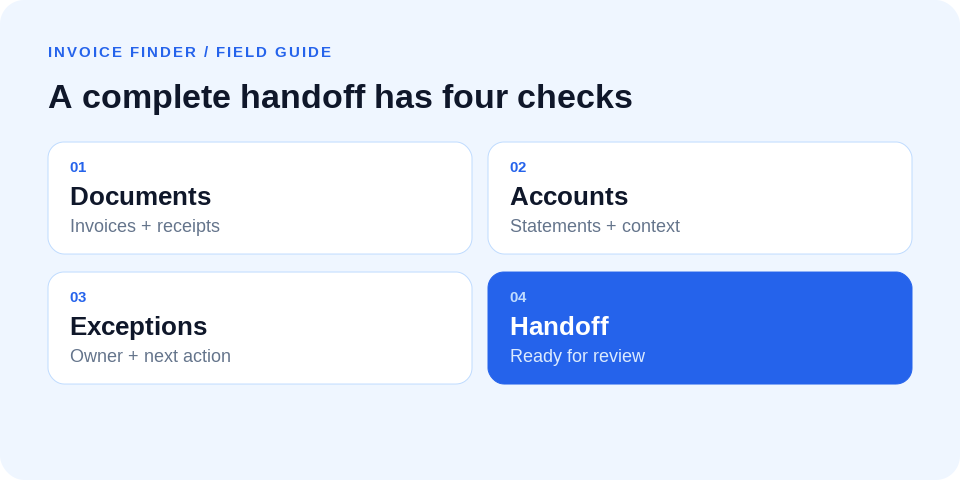
Collect the document categories agreed for the engagement, check completeness and legibility, then keep one exception list. Give every missing item an owner, status and next action.
Supplier invoices and credit notes
Collect the supplier invoices that relate to the work being completed, including unpaid bills and credit notes where relevant. Check that the file identifies the supplier and business, the document reference, the date and readable purchase details.
- Include all pages, not only the email notification.
- Keep credit notes distinguishable from invoices.
- Flag invoices already supplied through another route.
- Note documents in supplier portals that need to be downloaded.
A payment confirmation and an invoice can describe the same purchase without being the same type of document. Record exactly what is still missing.
Purchase receipts from every purchasing route
Ask each purchaser or cardholder for the receipts they hold. Business purchases can happen in person, through online stores, by phone or through staff accounts. A single owner’s inbox will not necessarily contain every receipt.
Check image quality and completeness. For email-body receipts, keep a readable copy with the supplier, date, items and total visible. If an invoice is behind a portal link, retrieve the actual document rather than sending only the link.
Use the Gmail receipt search guide to check recurring and online purchase email.
Bank and credit card statements
Collect complete statements for the agreed business accounts and period. Make sure every page is present and identify the account clearly without sharing unnecessary personal information. Include business payment accounts or card accounts covered by the engagement.
A bank feed and a supplier invoice serve different purposes. A feed shows movement of money; the supporting document explains the purchase. Keep the statement check and the missing-document check separate.
Recurring subscription invoices
Review the services that bill predictably: software, telecoms, hosting, memberships and other recurring suppliers. Check the account owner and billing address for each one. An annual renewal can easily be missed in a monthly routine.
- Check whether billing email goes to a staff member or a separate account.
- Look for the billing period as well as the payment date.
- Flag foreign-currency or split-payment differences for review.
- Download invoices from the supplier’s billing portal when email contains only a notice.
Sales, payroll and other records agreed for the work
Use your engagement scope to decide which additional records belong in the handoff. Depending on the business, these might include sales reports, refunds, payment-provider settlements, payroll summaries or documents for finance and asset purchases.
Do not send sensitive payroll or identity information through an informal route simply because invoices use it. Agree an appropriate channel and access with the person responsible for those records.
| Document group | What to collect | Suggested owner |
|---|---|---|
| Supplier invoices | Invoices, credit notes and relevant supporting pages | Purchases contact |
| Purchase receipts | Itemized receipts for business card and cash purchases | Cardholder or purchaser |
| Bank and card statements | Complete statements for agreed business accounts | Account owner |
| Subscriptions | Invoices or receipts for recurring services | Subscription owner |
| Sales records | Sales invoices, refunds and relevant settlement reports | Sales or operations contact |
| Payroll records | Agreed payroll reports and supporting records, where in scope | Authorized payroll contact |
| Other evidence | Finance, loan or asset documents relevant to the period | Named business contact |
Use one missing-evidence register
A checklist shows categories. An exception register shows the individual gaps still preventing the work from being completed. Give every gap an owner and a next action.
| Field | Example — fictional |
|---|---|
| Business / period | Maple Studio / November |
| Supplier / transaction | Northline Software / 10 November |
| Document needed | Monthly subscription invoice |
| Source checked | Billing email; supplier portal |
| Owner / next action | Business contact / download the invoice |
| Status | Requested — awaiting document |
If no document can be found, record that outcome and discuss the evidence and accounting treatment with the responsible adviser. This checklist does not establish a legal retention period or a tax entitlement.
Finish with a clear monthly handoff
- Confirm the business and period covered by the collection.
- Check the document categories agreed for the engagement.
- Remove obvious duplicate submissions without discarding the originals carelessly.
- List unresolved items separately with owners and next actions.
- Tell the reviewer where the complete batch is stored and when it is ready.
- Carry forward only the genuine open exceptions, then fix recurring intake problems.
Print this page or use its category table as the basis of your own checklist. For the complete process, see client invoice collection. For unresolved documents, use the request email templates.