The practical answer
Search Gmail for {invoice receipt}, then add a sender, date range or filename:pdf if useful. Remove restrictive conditions when a receipt might be in the message body.
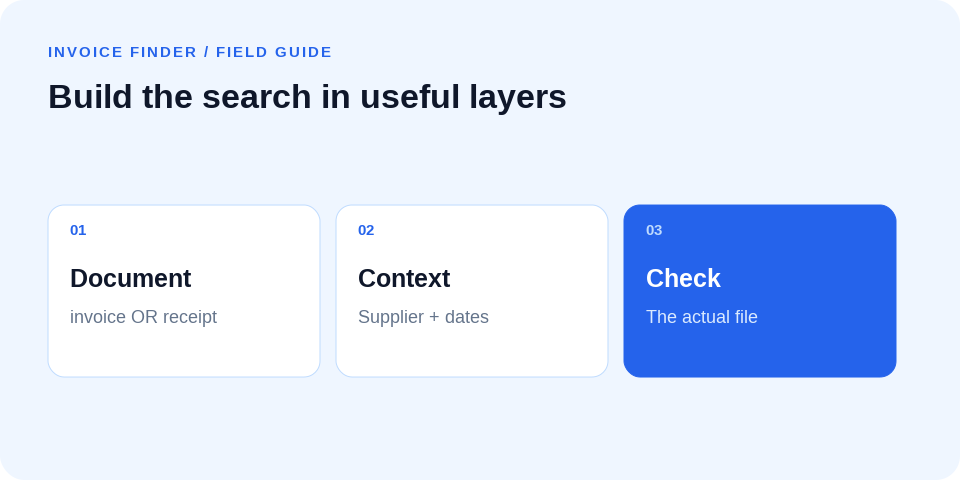
Start with a broad Gmail invoice search
Open the Gmail account that received the business purchase email. Put the following in the search box and run it:
{invoice receipt}The braces ask Gmail for either term. Begin broadly so a receipt in the email body is not excluded just because it has no PDF. Scan the results for supplier names, billing addresses and subject patterns you can use to narrow the next search.
If you do not see the expected supplier, try their name, known billing address or order reference on its own. The wording on a bank statement may not be the name used in email.
Find invoices with PDF attachments
Once you know you are looking for a PDF, add a filename condition:
{invoice receipt} filename:pdfFor any attachment, use has:attachment instead. These are retrieval clues, not proof that a message is a valid invoice. Open the result and check the file itself.
If no result appears, remove the attachment condition. Some suppliers put the receipt in the message or send a link to a billing portal. A PDF-only search deliberately leaves those out.
Search for invoices from a specific supplier
Use a known sender address when you have it. This fictional example narrows the query to a supplier’s billing account:
from:billing@baysideoffice.example invoiceReplace the example address with the real one. If the supplier uses several billing addresses, try its domain or trading name, then compare the results. A message sent by a payment provider may use a different sender from the supplier.
For a repeat subscription, find one known invoice first. The sender and subject of that message can be more reliable starting points than guessing the supplier’s exact terminology.
Narrow the search to a useful date range
Add received-date conditions to a supplier or invoice query:
from:billing@baysideoffice.example after:2026/10/01 before:2026/12/01Use dates that fit the period you are investigating and widen them if the result is missing. These conditions relate to email receipt dates, which may differ from the invoice date, service period or bank payment date.
For example, a service billed near month-end may be emailed before the payment clears. Start with a generous window around the transaction, then verify the document’s actual billing period.
Common Gmail invoice search queries
| Find this | Try this query |
|---|---|
| Invoice or receipt wording | {invoice receipt} |
| A PDF invoice | invoice filename:pdf |
| Invoice in the subject | subject:invoice |
| A known invoice reference | "INV-1042" |
| Recent receipts | receipt newer_than:3m |
| Search including Spam and Trash | in:anywhere invoice |
Treat these as starting points. Exact references depend on how the supplier writes them. Searching Spam and Trash expands the search, but does not recover messages that have already been permanently deleted.
For more combinations, use the Gmail invoice operator reference. For archived or historical documents, use the old invoice search guide.
Check and save the document you actually need
- Open the message and identify the actual invoice, receipt or portal link.
- Check the supplier, business recipient, reference, date, amount and currency.
- Download the original attachment where available. In desktop Gmail, open the message and use the attachment’s download control.
- For a portal notice, use the supplier’s trusted billing account to retrieve the document.
- Save the file through your agreed bookkeeping route and match it to the correct existing record.
Do not mark the work complete because an email contains the word invoice. A quote, reminder, statement and invoice can all appear in similar searches. If the correct document is not there, follow the missing-invoice recovery workflow.
For client work, only search accounts you are authorized to access. Coming soon: Invoice Finder. Your clients connect Gmail or Outlook once, and AI collects every invoice and receipt as it arrives, plus the last 18 months. You never see their other email. See how it works.
Provider instructions checked on 25 November 2026: Google: search operators, Google: attachments. Menu labels can vary by account, region and interface.