The practical answer
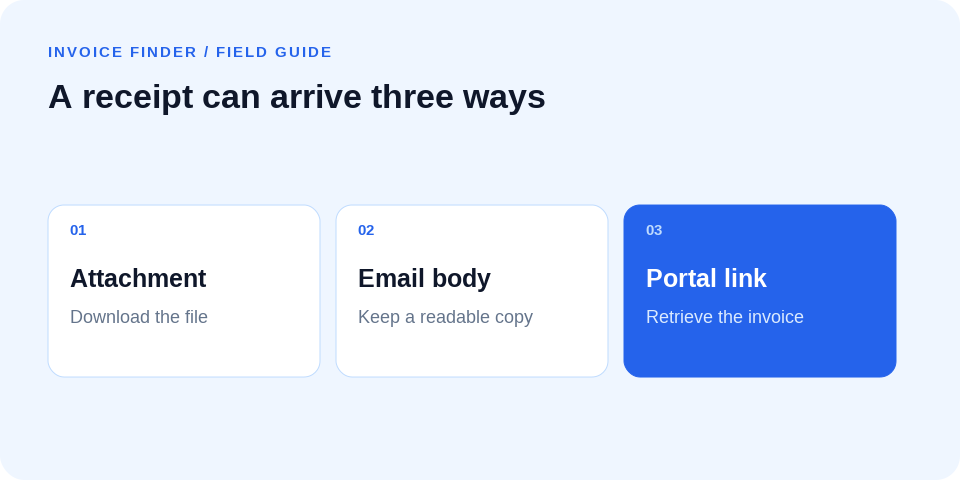
Search receipt and order-confirmation wording without requiring an attachment. Check email-body receipts, supplier portals and subscription billing accounts; no single search guarantees a complete collection.
Search Gmail for purchase and payment receipts
Start in the account used for the purchase. A personal shopping account, staff mailbox and company billing address can hold different parts of the business’s receipt trail. Search one authorized account at a time and note which source you checked.
{receipt "payment confirmation" "order confirmation"}This is a broad set of clues, not a receipt classification rule. Payment confirmations may show only that a payment happened. Order confirmations may precede fulfilment. Open each candidate and check whether it contains the purchase details you actually need.
If the purchase has a known order number, search that reference separately. A supplier’s email may use “your order” rather than the word receipt.
Find receipts without attachments
Do not begin with a PDF restriction. Many online receipts appear as formatted text in the message body. Search receipt-related wording first, then inspect the email for the supplier, items, transaction date and total.
receipt -has:attachmentThis query can help find messages without attachments, but do not use it as your only search: some email-body receipts also contain attached files. Compare the result with a broader receipt search.
If you need to preserve the message, Gmail supports printing a message; your browser or device may offer saving to PDF. Check that the saved copy includes all relevant content and does not expose unrelated messages in the conversation. Keep an original supplier document where one is available.
Find online shopping receipts and invoice links
Search the retailer’s known address or domain alongside the order number. Look through the whole purchase sequence: order confirmation, dispatch notice, invoice and refund can be separate messages.
from:orders@baysideoffice.example "ORDER-2087"The address and reference above are fictional. Replace them with details from the actual order. If an email links to an account, open the supplier’s known site and check its order or billing history. Download the invoice rather than assuming the confirmation email serves the same purpose.
A marketplace purchase may have a platform confirmation and a separate document from the seller. Check who actually supplied the goods and which business appears as the buyer.
Locate recurring subscription receipts
For software, telecoms and other recurring services, begin with the supplier name and a wider period than the bank payment date. Billing can happen before settlement, and an annual plan may produce one invoice for several months of payments or service.
from:billing@northline.example after:2026/09/01 before:2026/12/01Use one known receipt to identify the sender and billing pattern. If the expected month is missing, check the supplier portal and confirm which user owns the subscription. A staff member who originally subscribed may still receive the invoices.
- Check invoice number and service period, not just the amount.
- Keep refunds and credit notes with the related purchase.
- Flag currency differences rather than forcing the bank amount to equal the invoice total.
Organize receipts for the accountant
Save the actual receipt or invoice to the agreed collection route. Include the business context if the purchase description is unclear. A filename such as 2026-11-10_Northline_Receipt-1042.pdf is more helpful than several files called receipt.pdf.
Check completeness against the transactions or the agreed checklist. A search cannot guarantee it found “all” receipts: some may be in another account, a portal, a paper pile or permanently deleted email. Record the gaps instead of assuming the search result is the complete set.
Use Gmail labels and tested filters to make future retrieval easier, and the monthly collection checklist to keep the handoff complete. Coming soon: Invoice Finder. Your clients connect Gmail or Outlook once, and AI collects every invoice and receipt as it arrives, plus the last 18 months. You never see their other email. See how it works.
Provider instructions checked on 25 November 2026: Google: search operators, Google: printing messages. Menu labels can vary by account, region and interface.