The practical answer
Create a small label system, test supplier filters and label before forwarding or archiving. Review the results each month; a label is a filing aid, not proof that a document has been checked or recorded.
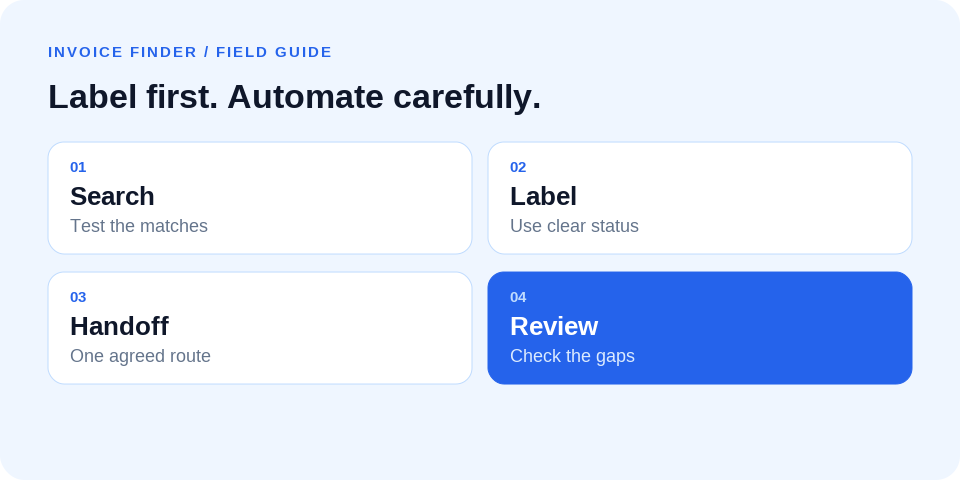
Create a small, useful label system
Build a system that answers a bookkeeping question. Start with a financial-document label such as Invoices, then add a few status labels if they help the handoff: To review, Sent to accountant and Query. Avoid creating a separate label for every possible attribute before you know you need it.
In desktop Gmail, use the create-label control beside Labels, name the label and optionally nest it under another label. Labels are not folders: a message can carry more than one, and deleting a message removes it from all its labels.
Decide what each status means. “Sent” should mean handed off, not reviewed or reconciled. Record accounting completion in the system responsible for that decision, not by guessing from a mailbox label.
Test an invoice filter before automating it
Find a known supplier message, then test a narrow query that matches the documents you want. Review both the messages it catches and examples it misses. A broad invoice keyword can include sales messages, quotations and reminders.
from:billing@baysideoffice.example {invoice receipt}The sender above is fictional. Replace it with a real address. In Gmail’s search options, create a filter from the tested criteria and choose Apply the label. Google documents these steps in its filter guidance.
Begin with labeling. Leave deleting, archiving and forwarding out of the rule until the matches have been reviewed. When applying a label to older matching conversations, check the selection carefully so a broad test does not classify unrelated mail as accounting evidence.
Organize invoices by supplier when it helps retrieval
Use supplier labels for businesses that generate enough repeat email to justify them. A small number of useful labels is easier to maintain than a long list that nobody reviews.
- Use a consistent supplier name even if the sender changes.
- Keep credit notes and refunds discoverable alongside invoices.
- Review rules when a supplier changes its billing platform or email address.
- Check whether portal notices require a separate download action.
A label helps find a message. It is not a guarantee that the attachment is complete, belongs to the right business or has already been entered in the books.
Organize receipts by period without hiding timing differences
Period labels can help with a monthly or year-end collection, but avoid treating the email receipt date as the invoice’s accounting period. Check the document’s actual issue date and service period when preparing the records.
Choose period names agreed with the accountant, such as Records/2026-11 or the business’s confirmed financial-year label. Do not assume every business uses a calendar year or the same financial-year dates.
For historical work, combine labels with a broad search, then review the files before marking the batch complete. Use the old invoice guide if earlier messages are hard to locate.
Prepare the handoff to your bookkeeper
Agree whether the client forwards individual documents, uses a dedicated address or uploads a reviewed batch. A mailbox label alone does not deliver documents to an accountant.
If using automatic forwarding, verify the destination and use a selective filter rather than enabling all-mail forwarding by accident. Gmail forwarding filters affect new matching messages, so send historical records separately. Read Google’s forwarding instructions before changing settings.
BillBjorn’s Gmail forwarding tool can help prepare the rule. Keep reviewing it, especially when purchasing habits, suppliers or staff change.
Keep a monthly review in the process
- Review the financial-document label and the collection destination.
- Check recurring supplier and subscription documents against the expected period.
- Resolve portal notices and unreadable files.
- Identify missing evidence against the transactions being worked on.
- Send one exception list, then update the handoff status when the correct document is received.
Avoid using deletion as a filing method. Keep the records needed by the business’s agreed retention process, and ask the responsible adviser about applicable record-keeping requirements.
Use the monthly checklist to make the review repeatable. Coming soon: Invoice Finder. Your clients connect Gmail or Outlook once, and AI collects every invoice and receipt as it arrives, plus the last 18 months. You never see their other email. See how it works.
Provider instructions checked on 25 November 2026: Google: labels, Google: filters, Google: forwarding. Menu labels can vary by account, region and interface.