The practical answer
Choose one default intake route, agree ownership and a monthly cut-off, then review gaps in one exception list. Add automation only after the basic handoff works.
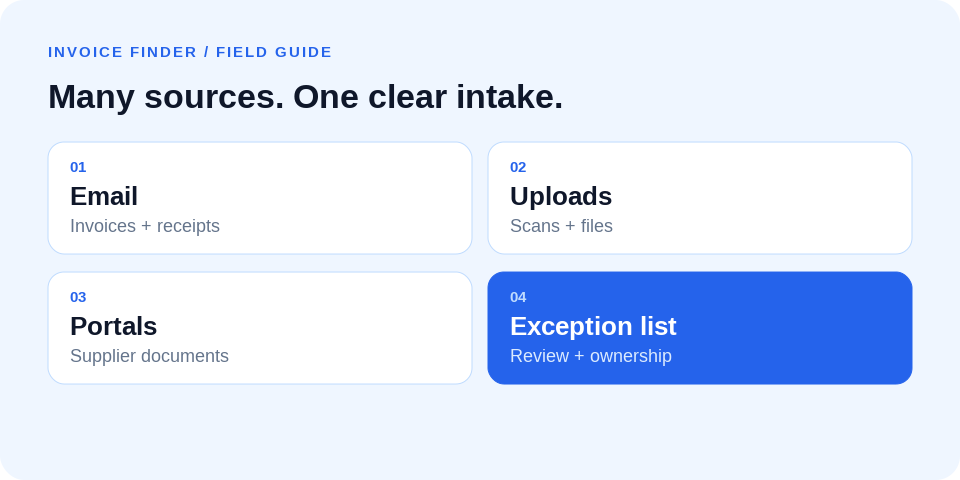
Choose the collection method before the first request
Client invoice collection is the process of getting a complete, usable set of business documents from the people and systems that hold them. It includes how files arrive, who checks them and what happens when something is missing. A shared folder is only one part of that process.
Start with the client’s sources. List supplier email, staff purchases, recurring subscriptions, paper receipts, bank statements and supplier portals. Ask who controls each source. Then choose a default intake route that fits the people who will actually use it.
| Client situation | Useful starting point | Extra control |
|---|---|---|
| A few suppliers, one owner | Selected forwarding to one address | A monthly completeness check |
| Several staff making purchases | An agreed upload or capture route | A named owner for each card or team |
| Many recurring email invoices | A dedicated mailbox and tested rules | Review rules when suppliers change |
| Historical missing invoices | Targeted retrieval from email and portals | Track each gap against its transaction |
Use one default route and document the exceptions. An invoice sent to three places can create more uncertainty than one sent through a simple process.
Collect invoices from email without a scattered trail
For occasional documents, selected forwarding is straightforward: the client checks the message, includes the actual invoice and sends it to the agreed address. Ask for the original attachment where available and enough context to identify the business and period.
For repeat suppliers, a narrow rule can support future intake. Test what it matches before forwarding anything, confirm the recipient and check whether the message contains a real invoice or only a link to a portal. Gmail forwarding filters apply to new matching messages, so historical retrieval is a separate task. Google explains filter behavior.
Coming soon: Invoice Finder makes email the intake route that needs no effort from the client. They connect Gmail or Outlook once, and their invoices and receipts are collected as they arrive. Supplier portals and the client’s explanation of a purchase still need a request. See how it works.
Use a dedicated invoice mailbox with clear ownership
A dedicated address gives clients, staff and suppliers a memorable destination. Agree who monitors it, which business it belongs to and who handles messages that are not usable documents. Keep mailbox access limited to the people who need it.
- Include the address in onboarding instructions and supplier account settings where appropriate.
- Define a simple naming convention when files are saved outside email.
- Keep business entities separate rather than mixing their records in one unstructured pile.
- Review bounces, portal notices and duplicate submissions as part of intake.
Make uploads and portals work for the client
Uploads are useful for scans, photographs and documents not delivered by email. Choose a location both sides understand and provide one short set of instructions: which period, which document types and how to indicate that uploading is complete.
A usable document should be complete and legible. Check that all pages are present, the supplier and recipient can be identified and the totals can be read. A blurry photo or a payment notification may still leave an evidence gap.
Keep status separate from storage. A file sitting in a folder is not necessarily reviewed, matched or ready for accounting.
Give every client a one-page collection agreement
- List the business entities and regular document sources.
- Name the default intake route and the backup route for exceptions.
- Agree the period, cut-off date and main client contact.
- Explain what a usable invoice or receipt looks like.
- Set out access permissions separately from document submission.
- Show how unresolved items will be requested and marked complete.
Use plain examples: “Send the supplier’s invoice PDF, not just the card payment alert.” Ask the client to try the route with one document before the first full collection cycle.
Run a scalable, exception-led workflow
Review the incoming documents against the work being completed, then record gaps in one place. A useful exception record includes supplier, transaction date, amount/currency, source checked, owner and next action. Mark an item complete only after the correct document has been reviewed and stored with the appropriate record.
As the practice grows, standardize the process rather than forcing every client into an identical tool. The same status labels can work across email, uploads and portals: received, needs review, missing, queried and complete.
Review repeat exceptions after each cycle. Move predictable subscription receipts into a reliable intake route, keep judgment questions with the client and use the monthly checklist to prevent the same gap returning.
Provider instructions checked on 25 November 2026: Google: email filters. Menu labels can vary by account, region and interface.