Asked by your bookkeeper or accountant to connect your email?
They see your bills.
Not your email.
Connect your business email once, and your invoices and receipts reach your bookkeeper automatically. No more “can you send me that receipt?” You preview everything before anything is shared, and it's free for you.
Invoice Finder is coming soon. This page explains how it will work.
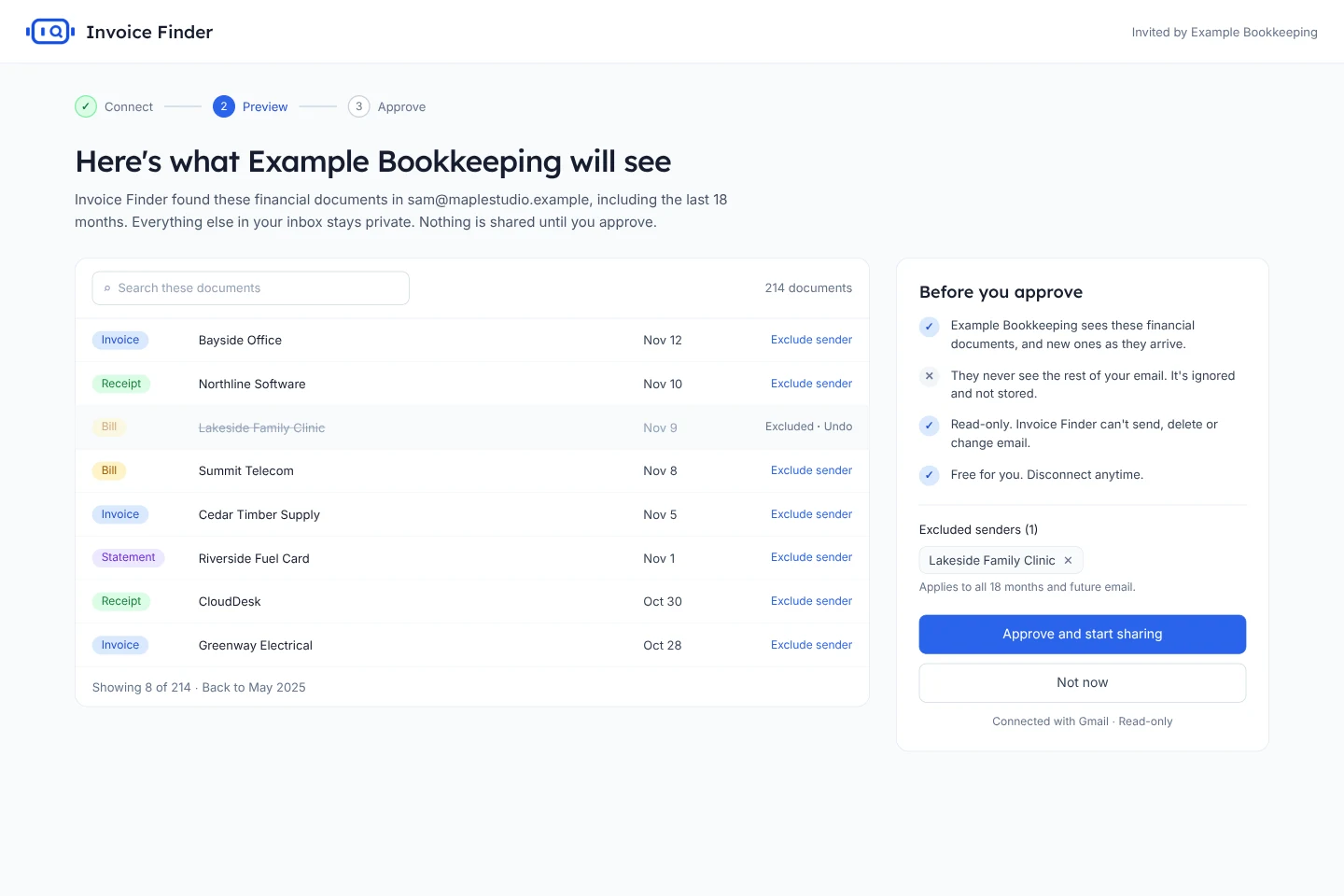
Why you're here
Less forwarding.
Fewer interruptions.
Every month, your bookkeeper needs the invoices and receipts behind your transactions. Usually that means a reminder, then you searching your inbox, downloading and forwarding.
Invoice Finder does that part for you. Your bookkeeper gets the documents they need, and you only hear from them when they need something only you know, like what a purchase was for.
You decide, step by step
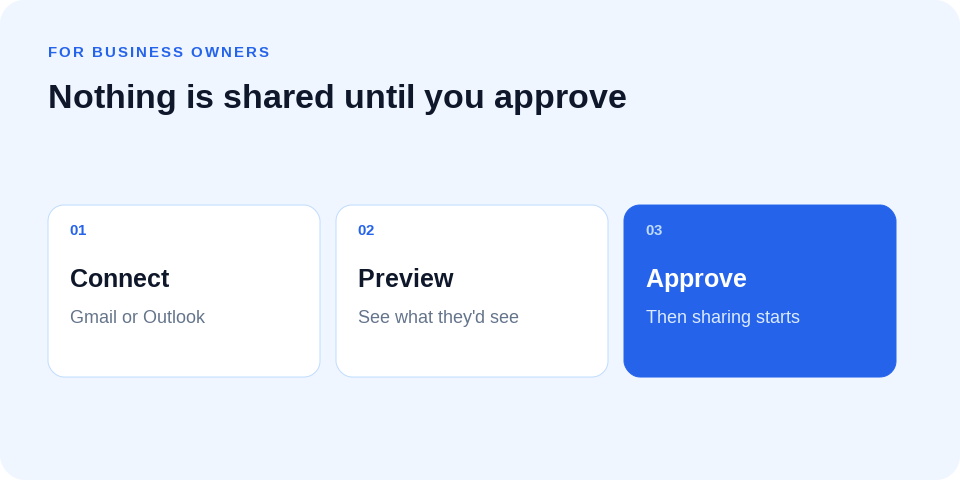
Connect. Preview. Approve.
Nothing is shared until you say so.
- 01 / Connect
Sign in with Google or Microsoft.
Choose the email account you use for business. You sign in with your email provider, so you never share your password with anyone.
- 02 / Preview
See exactly what they'd see.
Invoice Finder shows you the documents it found, including the last 18 months. Search them yourself, and exclude any sender you'd rather keep private.
- 03 / Approve
Then sharing starts.
When you're happy, approve. New invoices and receipts reach your bookkeeper as they arrive. You don't need to do anything else.
How your email is sorted
AI sorts it.
No person reads it.
Invoice Finder's AI checks each email to decide one thing: is this a financial document, like an invoice, receipt or statement?
If it is, it goes to your bookkeeper, once you've approved. If it isn't, it's ignored and not stored. Nobody at Invoice Finder or at your bookkeeper's office reads your inbox.
Read-only
Invoice Finder can't send, delete or change any email.
Never used to train AI
Your email is processed by a paid AI service and is never used to train AI models.
Free for you
Your bookkeeper or accountant covers the cost.
Clear boundaries
What your bookkeeper can see.
Your bookkeeper can only see and search the financial documents you've approved. There is no way for them to browse the rest of your inbox.
What they see
- Supplier invoices
- Receipts and order confirmations
- Subscription and utility bills
- Statements and credit notes
What they never see
- Personal email
- Everyday conversations with customers and suppliers
- Newsletters and notifications
- Anything from a sender you've excluded
You stay in control
Change your mind anytime.
Connecting isn't a one-way door. You decide what's shared, and you can stop at any point.
Exclude senders
Keep any sender private, including across the last 18 months of email. Excluded senders are never shared.
Disconnect anytime
Access stops instantly and nothing new is collected. Documents you've already shared stay with your bookkeeper, just like an invoice you'd emailed them, and are deleted from Invoice Finder after 30 days.
Copies your bookkeeper keeps
Documents your bookkeeper has already downloaded or forwarded to their accounting software are part of their records, the same as any invoice you've emailed them.
Before you connect
Why Google or Microsoft will say “read your email”.
When you connect, Google or Microsoft shows a permission screen saying Invoice Finder can read your email. That's because email providers only offer one kind of read access: the whole mailbox. There's no “invoices only” option.
That's why the sorting happens inside Invoice Finder, and why only financial documents ever reach your bookkeeper. The permission is read-only, so Invoice Finder can't send, delete or change anything.
You don't have to take our word for it. Preview shows you exactly what would be shared before you approve.
Questions
A few useful answers.
Will a person read my email?
No. AI checks each email to decide whether it's a financial document. Non-financial email is ignored and not stored, and nobody reads your inbox.
Is my email used to train AI?
No. Invoice Finder uses a paid AI service whose terms exclude your data from model training.
What if the AI picks up something private?
That's what Preview is for. Before you approve, you see every document that would be shared. Exclude a sender and their email is never shared, including from the last 18 months.
Why does it look back 18 months?
So your bookkeeper can finish a full year of books, with time to wrap it up. You preview those documents before anything is shared, and your exclusions apply to them too.
Does it cost me anything?
No. Invoice Finder is free for business owners. Your bookkeeper or accountant covers the cost.
Can Invoice Finder send or delete my email?
No. Access is read-only. Invoice Finder can't send, delete or change anything in your mailbox.
What happens when I disconnect?
Access stops instantly and nothing new is collected. Documents you've already shared stay with your bookkeeper, just like an invoice you'd emailed them, and are deleted from Invoice Finder after 30 days.
Still deciding?
Your bookkeeper can walk you through it.
They invited you, and they know how Invoice Finder fits your books. For the technical details, see exactly how Invoice Finder handles your email.