The practical answer
Identify the supplier, date and amount. Check existing records, search email and supplier portals, then request a copy if needed. Verify the business, reference and currency before attaching the file.
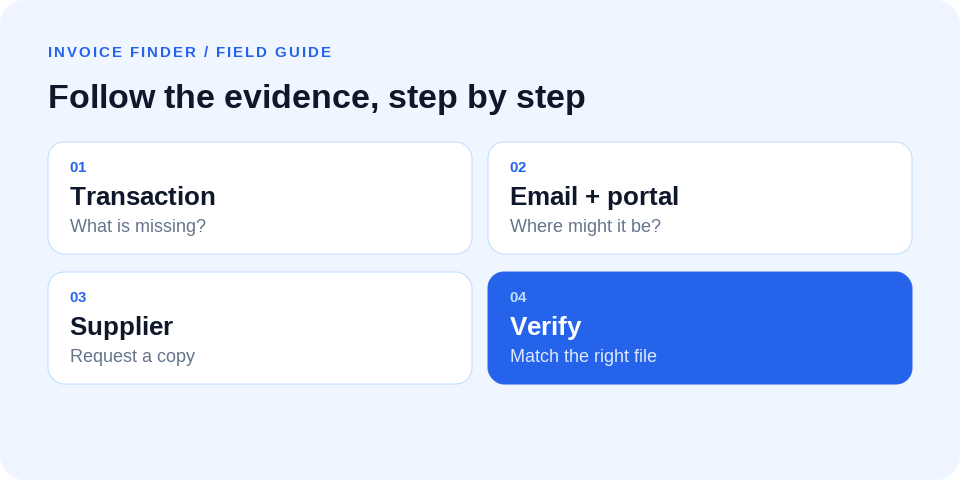
Identify which invoice or receipt is actually missing
Start with a transaction or a named supplier, not a broad search for every invoice in the business. Record the business entity, merchant description, date, amount and currency, plus any known order or invoice reference.
Decide what you are trying to find: an itemized receipt, supplier invoice, credit note or explanation. A bank entry proves that money moved; it does not by itself explain every detail of the purchase.
Check whether the document is already attached to an accounting record, stored under a different filename or supplied by another staff member. Retrieval should not create a second expense for something already recorded.
Search the email accounts most likely to hold it
Ask which address received the purchase or billing confirmation. Search the supplier name and likely period, then try the sender’s domain, order reference or terms such as invoice, receipt and billing. The merchant name on the bank statement may differ from the supplier’s trading name.
In Gmail, a useful broad starting point is:
{invoice receipt} after:2026/10/01 before:2026/12/01Add a sender or attachment condition only after checking the broad results. Requiring a PDF too early can exclude receipts written in the email body. See the Gmail invoice guide for tested operator examples.
Search only accounts you are authorized to use. Coming soon: Invoice Finder. Your clients connect Gmail or Outlook once, and AI collects every invoice and receipt as it arrives, plus the last 18 months. You never see their other email. See how it works.
Check supplier portals and the people who made the purchase
- Open the supplier’s known website directly and check its billing, orders or invoice history.
- Ask the staff member who placed the order or used the card.
- Check shared document storage, scans and the agreed document mailbox.
- For recurring services, confirm which user owns the subscription and receives billing notices.
- For a payment processor description, identify the underlying merchant before requesting a document.
Use trusted account access rather than an unexpected email link. If the supplier provides both an order confirmation and an invoice, retrieve the document that answers the evidence gap.
Match the retrieved document to the transaction
Compare the supplier, recipient business, date, reference, amount and currency. Allow for the fact that payment and invoice dates can differ. A bank amount may include exchange conversion, fees, several invoices or only part of an invoice.
| If you see this | Check this next |
|---|---|
| Same supplier and amount, several months | The billing period and invoice reference |
| One payment, several invoices | The remittance or supplier statement |
| Invoice total differs from bank line | Currency, fees, part payments or credits |
| Receipt addressed to another business | Who made the purchase and which entity owns it |
Store or attach the correct document to the appropriate record. Keep accounting treatment with the responsible reviewer; finding a file is not the same as completing reconciliation.
Ask the supplier for a replacement document
If the original cannot be found, ask the supplier to resend or provide a copy of the existing invoice. Give them a transaction date, amount, account or order reference and the correct business details. Avoid requesting a new invoice for a purchase that already has one.
If the client must make the request, send a concise list of what you need. Use the missing invoice email templates and mark the item as requested in the same exception register.
If no replacement is available, record the source checked and the supplier’s response. Do not manufacture an invoice or assume an alternative document has the same evidentiary value.
Prevent the same gap next month
Fix the source of the missing document. Update a supplier’s billing address, agree a staff receipt route or assign someone to download recurring portal invoices. Tested forwarding rules can improve future intake, but they will not retrieve a historical document that never reached the chosen mailbox.
Use a monthly checklist and review recurring exceptions. The aim is a complete, checked handoff with fewer unresolved questions, not a bigger folder of unchecked files.
Provider instructions checked on 25 November 2026: Google: search operators. Menu labels can vary by account, region and interface.