The practical answer
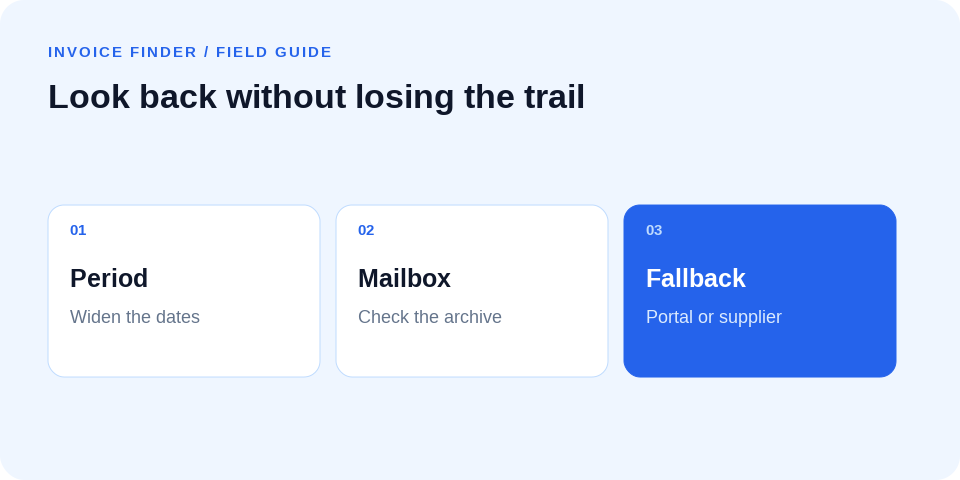
Use supplier details with a wide received-date range, check archived mail and remove Inbox-only restrictions. If email is permanently gone, try the supplier portal or request a copy of the original invoice.
Choose a historical period before you search
Start with the business, supplier and approximate period of the missing purchase. A bank payment date, renewal anniversary or known invoice reference can anchor the search. Then use a wider email window to allow for billing and settlement differences.
invoice after:2024/01/01 before:2025/01/01Replace these sample dates with the period you need. Gmail filters by when the email was received, not the issue date printed inside an invoice. If a transaction sits near the start or end of the window, widen the dates and check the document itself.
If you only know it is an older invoice, invoice older_than:1y can be a starting point, but a fixed range is easier to relate to a specific collection job.
Find invoices in archived Gmail messages
Archived email is removed from the Inbox but remains in All Mail. It is different from deleted email. Google’s archive guidance also documents in:archive as an archive search condition.
in:archive invoiceIf you previously searched only inside the Inbox or a narrow label, remove that restriction. A supplier message may have been archived by a filter or filed under a label without ever being lost.
Do not use “not in Inbox” as proof that something is archived: sent messages and other non-Inbox mail can also match an exclusion. Check the message location and actual content.
Search a previous financial year without assuming its dates
Use the actual start and end of the business’s financial reporting period. Financial years differ by jurisdiction and business circumstances; a calendar-year example is not a universal financial year.
- Confirm the reporting period with the person responsible for the accounts.
- Search email across a slightly wider window around that period.
- Check the invoice issue date and service period on each candidate document.
- Separate late-arriving invoices, credit notes and duplicates for review.
A bill received after the period ends may still need review in relation to that period. Retrieval helps locate the evidence; accounting decisions belong in the review process.
Trace a supplier when old email is hard to identify
Search the known sender, trading name or billing domain without invoice wording first. Suppliers can change their templates, and an old message may say “statement” or “your purchase” instead of the terms you expect.
from:billing@baysideoffice.example before:2025/01/01The address is fictional. Replace it with the real supplier details. Try an old order number, previous supplier name or known document reference separately. Check the right historical mailbox if the business changed its billing address or staff contact.
If the email contains only an expired download link, use the supplier’s current account portal or ask for a replacement copy of the original document.
Retrieve and organize the historical evidence
Once you find the document, verify the business, supplier, reference, amount, currency and period. Save the original file where possible, then link it to the appropriate existing record or exception item.
Name files so the next reviewer can identify them, for example 2024-08-12_HarbourOffice_INV-1042.pdf. Keep a note of the source when the document came from a portal or was reissued as a copy. Do not change the underlying document to make it fit a transaction.
For a large backlog, work in small, defined batches by supplier or period. Record resolved items in the same register so a second search does not retrieve and process them again.
What if the invoice email is gone?
Expand the search to include Spam and Trash using in:anywhere when appropriate. Google says those locations are automatically cleared after 30 days, or earlier if emptied manually. A wider search does not reverse permanent deletion.
Check other authorized accounts, supplier order history and existing document storage. Ask the supplier for a copy of the original invoice with the relevant purchase details. Record the outcome if the document cannot be recovered.
See the missing invoice recovery guide for the fallback process. Then improve future intake using labels and tested rules. Coming soon: Invoice Finder looks back 18 months when a client connects Gmail or Outlook, then collects new invoices and receipts as they arrive. See how it works.
Provider instructions checked on 25 November 2026: Google: search operators, Google: archive messages, Google: missing messages. Menu labels can vary by account, region and interface.